What Is Microfiche? How to Read, Print and Scan It
 Owen Lachance9 min read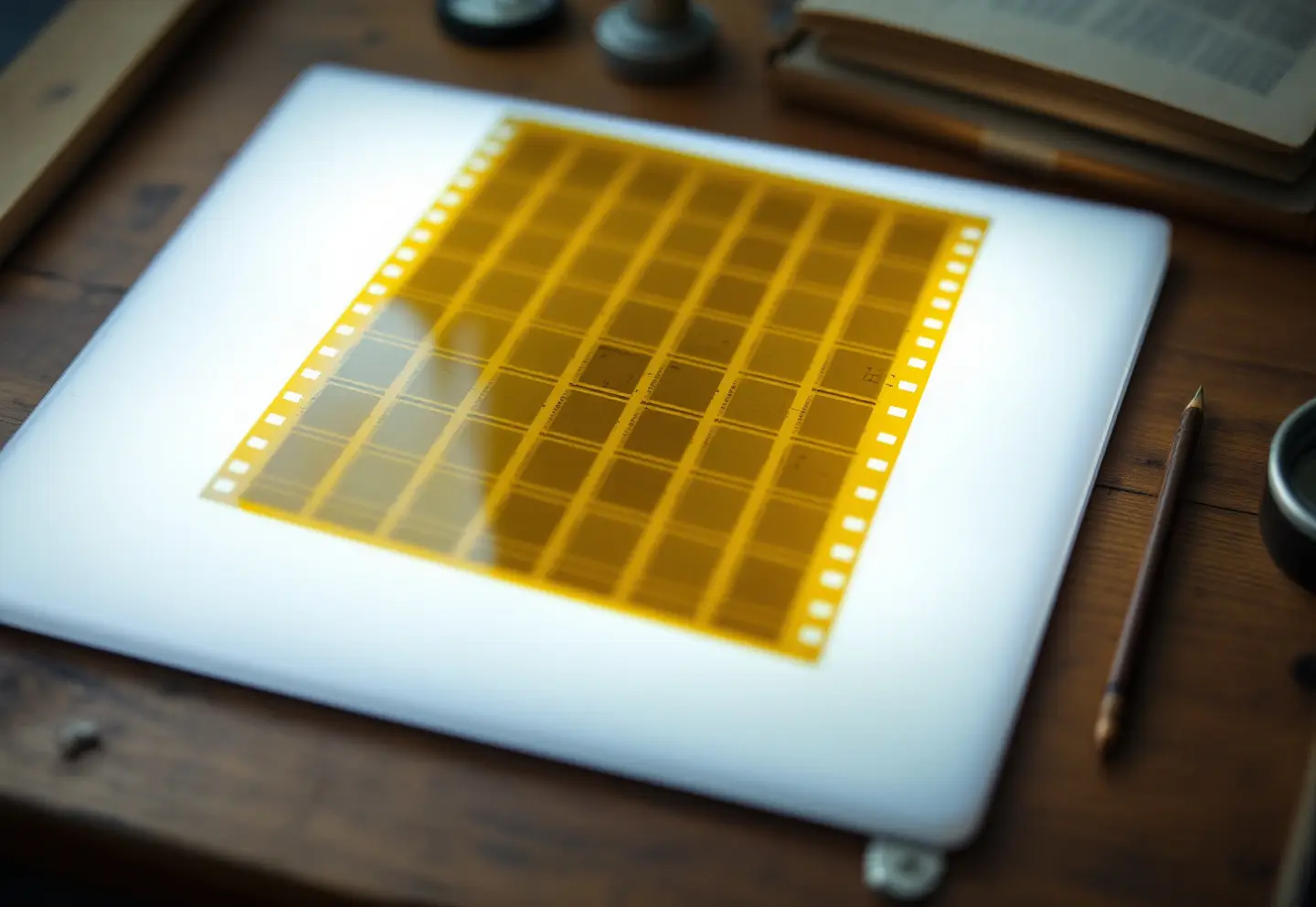
Microfiche is a flat sheet of photographic film, usually about 4 by 6 inches (105 by 148 mm), that carries a grid of tiny page images, often around a hundred pages on one sheet, under a strip at the top you can read with the naked eye. You read it on a microfiche reader, a lighted box with a lens that throws one page at a time onto a screen, and you print or scan it on a reader-printer or a digital microform scanner. Public libraries, county courthouses, state archives and university libraries still keep those machines. At home, a light pad and a good loupe will let you sort fiche, read the headers and find the right frame, but not read pages in comfort.
Most local historians meet fiche through indexes: land and probate indexes, cemetery surveys, old library catalogs. A surprising amount was never moved to anything else.
What microfiche is, and why so much of it exists
Fiche came into its own in the second half of the twentieth century. It was cheap to duplicate and mail, and a single sheet could be replaced without remaking a reel. Libraries, government offices, banks, parts departments and courts all used it.
A large share was computer output microfiche, usually called COM. Instead of printing a thousand pages of an index or a ledger, a computer wrote the pages straight onto film. That is why so many fiche look like old line-printer listings rather than photographed documents.
Reading a fiche by eye
Hold one up to a window and you will see:
- The header strip along the top, readable without magnification: a title, a date range and often a sequence number such as "3 of 12".
- The grid of frames, each one a page. On many fiche the rows are lettered and the columns numbered, so a page can be cited as "D7". COM fiche often put an index to the sheet in the last frame.
- The polarity. Some fiche are negative (clear text on black), others positive (dark text on clear). Many working copies are negatives.
Reduction ratios
The reduction ratio says how many times smaller than the original each page is, and it decides which lens you need.
| Reduction | Typical pages per fiche | Common uses | Reader lens |
|---|---|---|---|
| 24x | about 98 | reports, office records, government documents | about 24x |
| 42x | about 208 | computer output (COM) | 42x to 48x |
| 48x | about 270 | COM indexes, catalogs, listings | 48x |
| 90x and up (ultrafiche) | far more | parts catalogs and other specialized sets | special readers |
The ratio is sometimes printed on the header. If it is not, try the 24x lens first; if the page appears as a tiny island in the middle of the screen, switch up.
Microfiche vs microfilm
People use "microfilm" for both. The practical differences:
| Microfiche | Microfilm (roll) | |
|---|---|---|
| Form | flat sheet, about 4 x 6 in | reel of 16 mm or 35 mm film, commonly 100 ft |
| Capacity | dozens to a few hundred pages | hundreds to thousands of frames |
| Typical contents | indexes, reports, catalogs, government documents, computer output | newspapers, deed books, court and church registers, census, vital records |
| Finding a page | choose the sheet by its header, then the frame on the grid | wind through the reel to the frame |
| Updating | replace or add a single sheet | fixed sequence on the reel |
| Reader | flat glass carrier | reel spindles, crank or motor; many machines take both |
| Copies you will meet | usually duplicates (silver, diazo or vesicular) | preservation masters are silver film on polyester |
Two cousins share the same drawers. Microfilm jackets are fiche-sized clear sleeves holding strips of 16 mm film, and they read on a fiche reader. Aperture cards hold a single 35 mm frame, usually an engineering drawing or map. The rarer micro-opaque is printed on card, needs light from above, and looks blank on a light pad.
How to read microfiche on a reader
- Find the right sheet. Read the header strip, and look for an index fiche at the front of the set.
- Open the glass carrier (on many readers, pulling it toward you lifts the top glass), lay the fiche on the lower glass with the header at the top, and close it gently.
- Choose the lens that matches the reduction. Many readers have a turret or swappable lenses.
- Move the carrier until the frame you want fills the screen. Most carriers have a pointer and a grid that matches the frame rows and columns.
- Focus, then adjust brightness. If the text is mirrored or upside down, flip or turn the fiche.
Hold fiche by the edges, and open the glass before you slide the sheet, because dragging film between closed glass is how most scratches happen.
Printing and scanning at a library or courthouse
Older reader-printers make paper copies directly. Most institutions have replaced them with digital microform scanners that save to a USB drive, send by email or print. A few practical points:
- Bring a USB drive, but ask first; some government offices block personal drives and will email the file instead.
- Save TIFF or high-quality JPEG for anything you might want to enlarge, and PDF for a multi-page set you only need to read.
- Use the software's invert button to turn a negative into black text on white before you save.
- Capture the whole frame once, with its edges, as well as a tight crop. Put the fiche title and frame number in the file name.
Where microfiche readers still exist
Call ahead wherever you go: machines break, and the one person who knows the software may be off that day.
- Public libraries, especially local history and genealogy rooms, often have a reader-scanner that takes both fiche and film.
- University and college libraries, particularly those in the federal depository program, which received many government documents on fiche.
- County courthouses and recording offices, for land, court and probate indexes.
- State archives and state libraries, which hold large microform collections and the machines to read them.
- National Archives research rooms, which hold a vast collection of microfilm publications.
- FamilySearch centers and historical societies, though FamilySearch has digitized most of its film, so ask before you plan a trip around a reader.
Buying a microfiche machine makes sense only if you have a lot of fiche and nowhere to read it. Used readers turn up when offices clear out; check that a lamp and the lens you need are still obtainable.
Looking at fiche at home: what a light pad and loupe can do
The arithmetic is unforgiving. A letter-size page at 24x is about a third of an inch wide on the film. A 10x loupe brings it up to roughly 3.5 inches, so ordinary type reads like the smallest print in a phone book. That is workable for headings, bold index entries and column titles, and tiring for anything longer. At 42x or 48x a page is under a quarter inch wide, and a loupe will help you find the frame but not read it.
Even so, a simple home setup earns its keep for sorting a box of fiche, reading header strips for an inventory, or checking what you have before a library visit.
| Item | What it does | What to look for |
|---|---|---|
| LED light pad | even light under the fiche | even brightness edge to edge with no hot spots, neutral daylight color, adjustable brightness, a surface larger than the fiche |
| Lighted loupe | magnifies a single frame | about 10x to 15x, glass optics, a flat base that holds focus on the film, a built-in light for use away from the pad |
| Handheld LED magnifier | reads header strips, envelopes and labels | a lens wide enough to sweep a whole header, 2x to 5x, an even ring of LEDs rather than one bright spot |
Archivist’s kit
LitEnergy A4 LED light pad
A thin, evenly lit panel for viewing negatives, slides and fiche.
- About 5 mm thick
- Adjustable brightness
- USB powered
$17.99 Price checked at Amazon Oct 22, 2026, 12:24 PM ET
Get it on Amazon
Jarlink lighted loupe
A pocket loupe with LED light for checking film, prints and fine print.
- 30x and 60x lenses
- Built-in LED light
- Folds into its own case
$8.99 Price checked at Amazon Oct 22, 2026, 12:24 PM ET
Get it on Amazon
10x lighted reading magnifier
A handheld glass-lens magnifier with a ring of LEDs for faded handwriting.
- Glass lens
- 12 LED lights
- 10x magnification
$9.89 Price checked at Amazon Oct 22, 2026, 12:25 PM ET
Get it on Amazon
Product prices and availability are accurate as of the date/time indicated and are subject to change.
Picked from maker specifications and published reviews. We have not bench-tested these units.
Scanning microfiche yourself
A camera with a macro lens on a copy stand, pointed down at a fiche on a light pad, is the most flexible home method. It is slow, and quality depends on the lens and on keeping the film flat and the camera square.
A flatbed scanner with a transparency unit can capture a whole 24x fiche in one pass. The limit is resolution. To get a page back at original size and 300 pixels per inch from 24x film, you need about 7,200 pixels per inch at the film, which is more than flatbed scanners truly resolve, whatever the box claims. Judging from published specifications, expect readable pages from 24x fiche with ordinary type at best, and little that is usable from 42x or 48x. Our scan resolution calculator will run the numbers for your own sizes.
For a large set, a service bureau with production fiche scanners is usually the sensible choice. Tell them the reduction ratio, the polarity, the number of sheets and the output you want (searchable PDF/A or TIFF, for example), and ask how they will name and index the files. Our guides to imaging and microfilm and legacy formats and media cover what to put in that conversation.
If you are using fiche for family history, much of the work is in the indexes, and our step-by-step guide to finding an old obituary shows how an index entry leads to the newspaper itself.
Caring for fiche you own
Fiche comes in three main film types. Silver film (silver-gelatin) is the archival kind. Diazo and vesicular films were cheap duplicating films, and they last far less well. Keep them apart: some duplicate films give off gases as they age that can damage silver images, and storage guidance from bodies such as NEDCC advises separating them.
Older fiche on acetate base can develop vinegar syndrome. If an envelope smells sharply of vinegar, separate that set from the rest, keep it as cool and dry as you can, and copy it while it is still readable.
Store fiche in paper or plastic enclosures that pass the Photographic Activity Test (ISO 18916), in a cool, dry, stable room, away from rubber bands and soft PVC sleeves. ISO 18911 sets out storage conditions for processed safety film. Handle the sheets by the edges, with clean dry hands or nitrile gloves.
Frequently asked questions
What is the difference between microfiche and microfilm?
Microfiche is a flat sheet of film holding a grid of pages; microfilm is a roll. Fiche suits indexes, reports and catalogs that are used a few pages at a time, while rolls suit long continuous runs such as newspapers and deed books.
Can you read microfiche without a machine?
You can read the header strip with the naked eye and find frames with a light pad and a loupe. Reading full pages comfortably needs a reader, or a scan made at high resolution.
Where can I find a microfiche reader near me?
Try the public library, a university library, the county courthouse or recording office, and the state archives or state library. Call ahead to check the machine is working and has the lens you need.
Can microfiche be converted to PDF?
Yes. A library reader-scanner can save pages as PDF, and service bureaus convert whole sets to searchable PDF or TIFF. Home flatbed scanning works for 24x fiche with ordinary type, less well for higher reductions.
How long does microfiche last?
Properly processed silver film on a polyester base, stored under the conditions in ISO 18911, is expected to last for several hundred years. Diazo and vesicular copies and acetate-based film last far less, so copy them first.
Keep reading
How to Find an Obituary From Years Ago for a Specific Person
How to find an obituary from years ago: pin down the date and place of death, then search free newspaper archives, library databases, microfilm and indexes.
How to Digitize Old Photos: Resolution, Files and Backups
How to digitize old photos at home: sort first, scan prints at 600 dpi as TIFF masters, caption the files, and keep three copies, one of them away from home.
Photo Scanners for Old Photos: Flatbed, Feeder or Film Adapter
How to choose a photo scanner for old photos: flatbed or feeder, real optical resolution, film adapters and bit depth, plus two kits for prints and for film.