Legacy Formats and Media: A Field Reference for Records Offices
 Dana WhitcombLast reviewed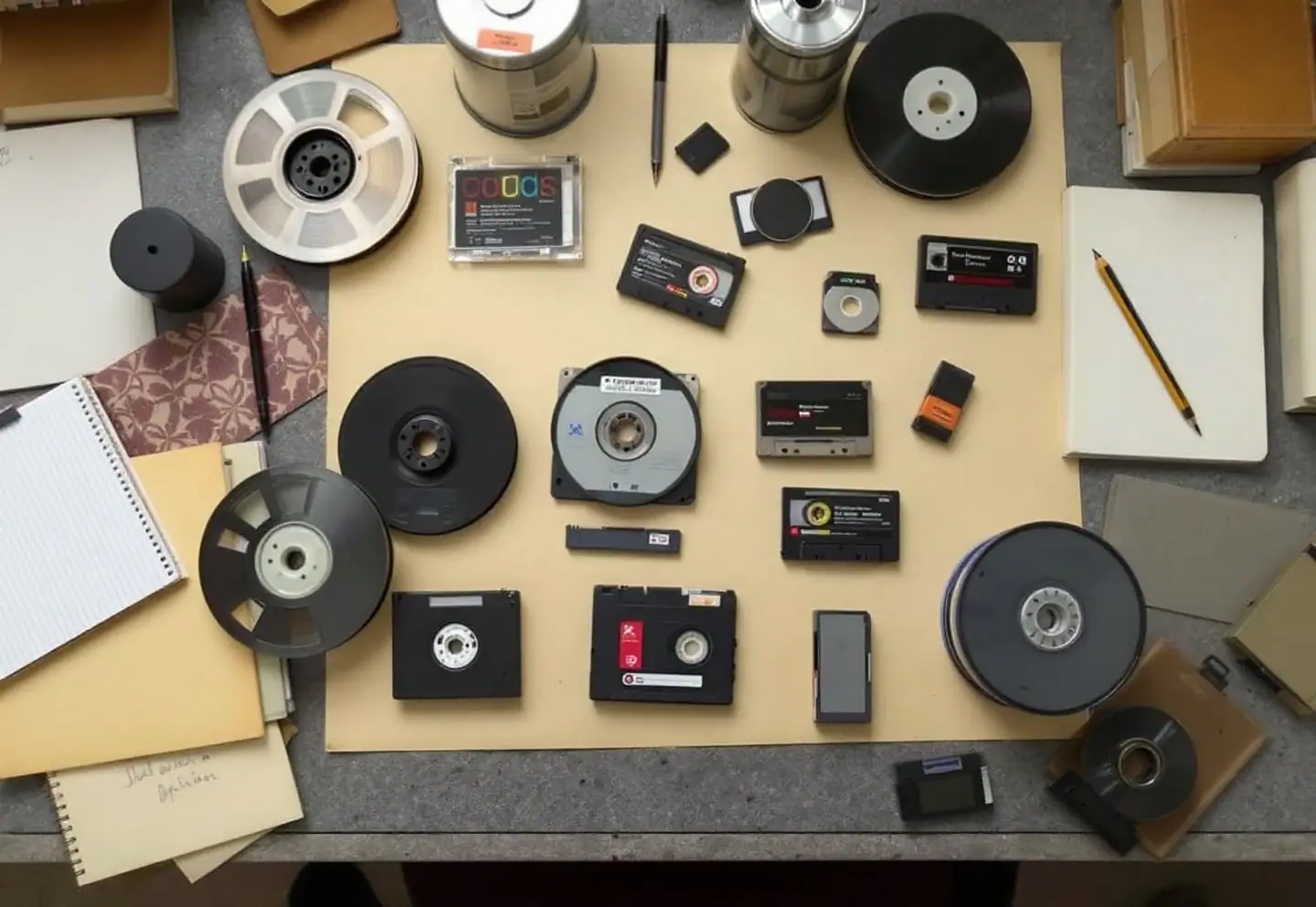
Every records office with more than twenty years of computing behind it has a drawer, cabinet or box of media that nobody can identify with confidence. Some of it is junk. Some of it is the only surviving copy of records you are legally required to keep. The difference is rarely obvious from the outside, and the wrong first move, putting an unknown tape into whatever drive happens to be handy, can destroy what's on it.
This reference is for the first pass: recognizing what you have, understanding what can go wrong with it, and knowing what it takes to read it. It is not a promise that everything can be recovered. Some media can no longer be read by anyone, some can only be read in part, and sometimes recovery costs more than the data is worth. Learning which case you're in early saves money and grief. For the project side of the work, including planning, chain of custody and reconciliation, see legacy data and media conversion: an overview.
Eras below are approximate. They describe when a format was in common office use, not when it was invented or formally retired.
Physical media
| Media | Era | How to recognize it | Typical risks | What it takes to read | Target today |
|---|---|---|---|---|---|
| CD-R / CD-RW | 1990s–2010s | 120 mm disc with a tinted dye side (gold, green or blue) | Dye fading; the data layer sits just under the label, so label-side scratches and stick-on labels do real damage | Any optical drive, plus software that logs read errors | Disc image plus extracted files, with checksums, on managed storage |
| DVD±R / RW | 2000s–2010s | Same size as a CD; dye side often purplish | Dye failure, separation of the bonded layers, unknown burn quality | DVD drive and the same error-logging approach | Same as CD |
| 5¼-inch optical (WORM and rewritable magneto-optical) | late 1980s–2000s | Rigid cartridge roughly 5¼ by 6 inches with a sliding metal shutter; capacity often printed on the label | Drives scarce; generations not always backward compatible; data often written in the imaging system's own volume format | Drive of the right generation (usually SCSI), a host adapter, and software that understands the volume format | Extracted images, with the index exported to open formats |
| 12-inch optical WORM platters | 1980s–1990s | Large, heavy cartridges, usually from a jukebox | Very few working drives anywhere; proprietary formats; mechanical failure | The specific drive model plus the original system's software or a specialist's tools | Same as above |
| UDO (Ultra Density Optical) | mid-2000s–2010s | Looks like a 5¼-inch magneto-optical cartridge; marked UDO | Single-vendor format, no longer developed; drives scarce | UDO drive of a matching generation | Same as above |
| Removable disk cartridges (Zip, Jaz, Bernoulli, SyQuest) | 1980s–2000s | Thick plastic cartridges, usually with the product name molded on the shell | Mechanical failure; a damaged disk can damage the drive and the next disk; obsolete interfaces such as SCSI and parallel port | Matching drive and interface, often on an older computer | Disk image plus extracted files |
| Floppy disks (8-, 5¼- and 3½-inch) | 1970s–2000s | Flexible disk in a square sleeve or hard shell | Mold, oxide shedding, weak magnetic signal, unusual formats from dedicated word processors | Matching drive, ideally a controller that captures the raw signal | Disk image plus converted files |
| 9-track reel tape | 1960s–1990s | Half-inch tape on an open reel, sometimes with a plastic write ring | Binder breakdown ("sticky shed"), brittle tape, EBCDIC encoding, unknown block sizes | 9-track drive and someone who understands mainframe record formats | Raw image of each tape file, then converted data with documentation |
| 3480 / 3490 cartridges | 1980s–2000s | Half-inch tape in a squarish single-reel cartridge | Same binder problems; mainframe tape labels and record formats | Compatible drive, mainframe-attached or with a SCSI interface | Same as 9-track |
| 8 mm and 4 mm (DAT/DDS) | late 1980s–2000s | 8 mm: cassette similar to a camcorder tape; 4 mm: smaller cassette, often with a DDS mark | Helical-scan head wear, stretched tape, generation mismatches | Drive of a compatible generation and the backup software that wrote it | Restored files on managed storage |
| QIC and Travan | 1980s–2000s | Quarter-inch tape in a cartridge with a metal baseplate, or a smaller minicartridge | The internal drive band ages and can snap; many incompatible formats | Matching drive plus the original backup software | Restored files |
| DLT / SDLT | 1990s–2000s | Square single-reel half-inch cartridge about 4 inches across | Leader damage if loaded in a faulty drive; generation limits | Compatible DLT drive | Restored files or current tape |
| LTO | 2000 onward | Single-reel cartridge; barcode label usually ends in L plus the generation number | Drives read only a limited number of earlier generations; unknown software formats | Drive of a compatible generation; LTFS from LTO-5 onward, otherwise the backup software | Current LTO generation, disk or cloud storage with fixity checks |
| AIT | late 1990s–2000s | 8 mm-type cartridge with a built-in memory chip | Single-vendor format, discontinued | Matching AIT drive | Restored files |
| Hard disks from retired servers | any | Loose drives, often in pairs or numbered sets | Disks from a RAID set may be meaningless one at a time; mechanical failure | The original controller, or a specialist who can rebuild the array | Disk images plus extracted files |
Backup and container formats
A backup tape is two problems stacked together: the physical medium and the software format written onto it. Reading the tape gets you a stream of bytes. Making sense of them requires the format.
| Format | Era | How to recognize it | Typical risks | What it takes to read | Target today |
|---|---|---|---|---|---|
| ARCserve | 1990s onward | Tape labels or old backup logs naming the product; catalog databases on retired servers | Missing catalogs; older formats unreadable by newer versions; password-protected sessions | A software version that supports that format, or specialist tools | Restored files, with original paths and dates recorded |
| Backup Exec | 1990s onward | Labels or logs; Microsoft Tape Format (MTF) structure on the tape | Same; encrypted sets are unrecoverable without keys | A compatible software version or MTF-aware tools | Same |
| NetBackup | 1990s onward | Enterprise tape libraries; media IDs on barcodes | Heavily dependent on its catalog; importing tapes without it is slow | A running instance that can import the media | Same |
| Windows NTBackup (.bkf) | 1990s–2000s | .bkf files on disk or tape | Not included in later Windows versions | Legacy restore utilities | Same |
| UNIX tar, cpio, dump | 1970s onward | Often unlabeled; the first blocks contain recognizable headers | Block-size mismatches, byte order, variant formats | Standard open-source tools, in most cases | Same |
Database formats
Old databases are often the index to everything else. Without them, a store of images is close to useless.
| Format | Era | How to recognize it | Typical risks | What it takes to read | Target today |
|---|---|---|---|---|---|
| Btrieve | 1980s–2000s | Data files with no visible structure; separate .DDF dictionary files if you are lucky | Without the dictionary, record layouts must be reverse-engineered | A Btrieve-compatible engine, or ODBC with the dictionary | CSV or SQL export with a documented schema |
| dBase | 1980s–1990s | .dbf tables, .dbt memo files, .ndx or .mdx indexes | Character-set errors; memo files separated from tables | Many current tools read .dbf | CSV or SQL |
| FoxPro / Visual FoxPro | 1990s–2000s | .dbf with .fpt memo, .cdx index and .dbc container files | Variant .dbf structure; 32-bit-only drivers | FoxPro drivers or libraries | CSV or SQL |
| Microsoft Access | 1990s onward | .mdb or .accdb files, sometimes a separate .mdw security file | Linked tables pointing to missing paths; logic hidden in macros and code | Access, compatible drivers, or open-source tools for .mdb | CSV or SQL, plus documented queries |
| Paradox | late 1980s–2000s | .db tables with .px index and .mb memo files | Table passwords; the old database engine | Borland Database Engine or conversion tools | CSV or SQL |
| Pick / MultiValue | 1970s onward | Data reached through a MultiValue environment rather than plain files | Nested multivalued fields don't map neatly to tables | A MultiValue environment and its export routines | Flattened tables with documented relationships |
| SQL Server | 1990s onward | .mdf and .ldf files, or .bak backups | Newer versions restore only from a limited range of older ones, sometimes forcing a stepping-stone upgrade | An instance of a compatible version | Current SQL database plus an open export |
| MySQL | late 1990s onward | .sql dumps, or data directories with .frm, .MYD and .MYI or InnoDB files | Version and character-set mismatches | A matching server version | Open dump plus CSV |
| Oracle | 1980s onward | .dmp export files | Original export and Data Pump files aren't interchangeable; version limits | The matching import utility and a compatible database | Current database plus an open export |
Image and report formats
| Format | Era | How to recognize it | Typical risks | What it takes to read | Target today |
|---|---|---|---|---|---|
| TIFF Group 4 (bitonal) | 1980s onward | .tif files, black and white, single- or multi-page | Nonstandard tags and headers written by older imaging systems | Standard tools, mostly; validate with a format checker | Keep as TIFF G4 or convert to PDF/A, retaining the originals |
| TIFF with old-style JPEG compression | 1990s | .tif files that many viewers refuse to open | A poorly supported variant | Specialist conversion tools | Baseline TIFF or JPEG 2000 |
| CALS raster | 1980s–2000s | .cal files, common for engineering drawings | Limited viewer support | Conversion tools | TIFF G4 |
| Lossy JBIG2 inside PDF | 2000s onward | Scanned PDFs that are unusually small | Pattern-matching compression can substitute one character for another | Any PDF reader; the risk is in the content, not the access | Rescan if originals survive; otherwise flag the files |
| COLD and report archives (line data, AFP, PCL) | 1980s onward | Large print-stream files plus separate resources such as fonts and overlays | Output renders wrongly, or not at all, without the resources | The original viewer or a print-stream converter | PDF/A per report, with index metadata |
| Check image files (X9.37 and X9.100-187) | 2000s onward | Files holding front and back images with record data | Contain account details and need careful handling | X9 file viewers or parsers | Images plus metadata, access-restricted |
Legacy imaging and document-management systems
Systems such as FileNet, OnBase, Laserfiche, Documentum and Optika generally keep images or document objects separate from the database that indexes them, and many early installations wrote to optical libraries. Details vary widely by version and configuration, so don't trust anyone's generalization, this one included, over the system's own documentation. Before planning an extraction, establish four things: where the objects physically live, which database holds the index, whether annotations and redactions are stored separately, and whether your license includes the vendor's export tools. Our article on file formats for long-term preservation covers where the data should land once it's out.
When you find a box of unlabeled tapes
- Don't load anything. A sticky or damaged tape can be ruined in a single pass, and can foul a drive's heads for the next tape too.
- Record the find. Photograph the box where it was found and note the location, the date, who found it and anything written on the outside.
- Ask about legal holds and open requests. If the contents could be subject to either, preserve the box and tell counsel before doing anything else.
- Move it somewhere cool, dry and secure. Not a hot car, not a damp basement, not the corner of someone's desk.
- Identify it physically. Measure and photograph each item front and back, and note form factor, barcodes, write-protect settings and any handwriting. Use the tables above.
- Follow the paper trail. Old backup logs, purchase orders, IT tickets, service contracts and retirees' memories often explain what was backed up, when, and with what software.
- Check the retention schedule. If the likely contents are long past retention and no hold applies, authorized disposition may be the right answer. Our guide to writing a retention schedule departments will actually follow explains how to document that decision.
- If you must read it, image first. Use someone with suitable drives and a non-destructive method, who makes a raw image of each tape before trying to interpret it and records what could not be read.
- Assume it's sensitive. Keep a chain-of-custody log, and destroy media only once authorized, with a certificate.
For wider background on media risk and obsolescence, the Digital Preservation Coalition at dpconline.org is a good place to start.