Environmental Monitoring for a Records Vault: Loggers, Targets and Reading the Graph
 Margaret Thibodeau8 min read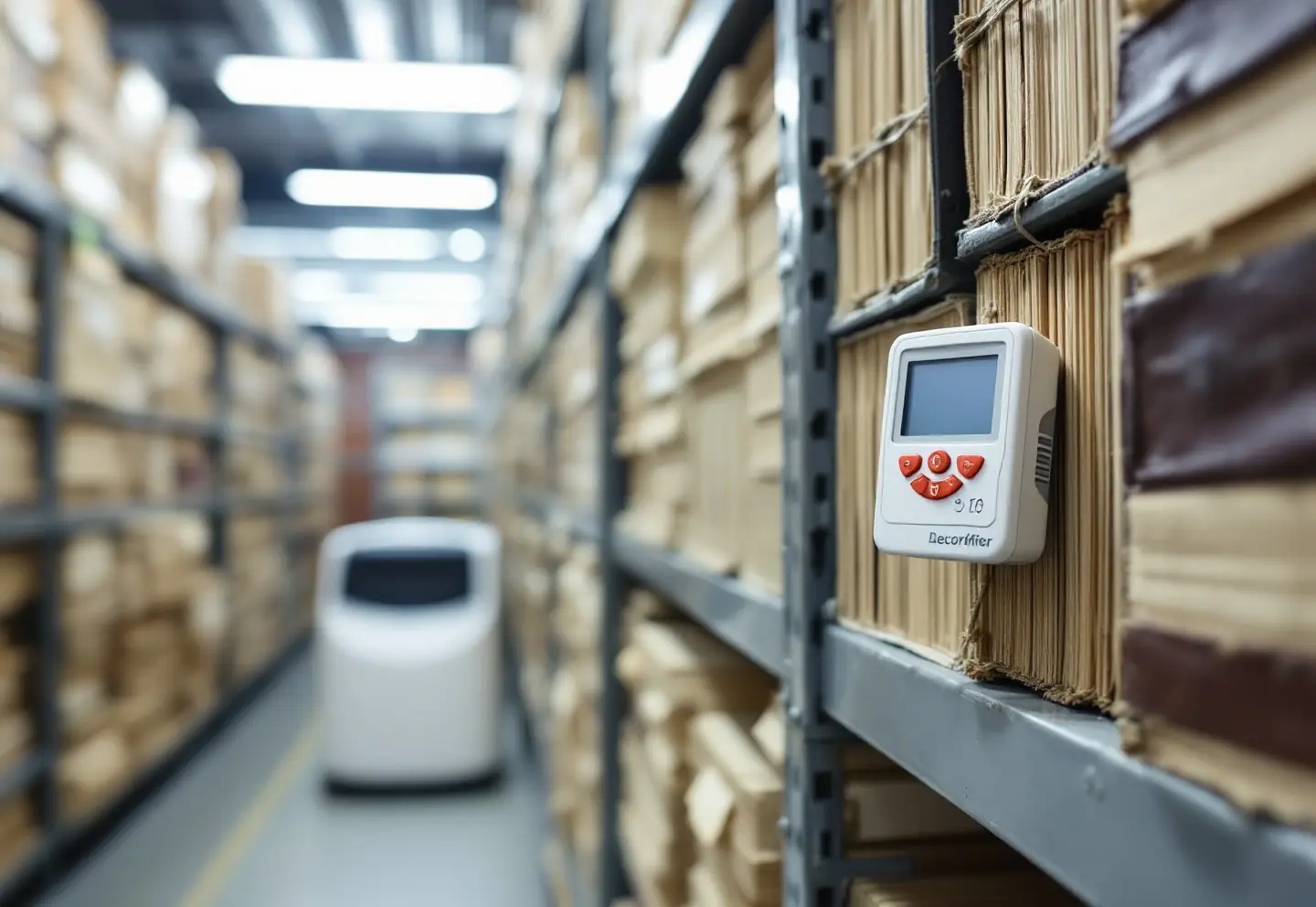
May is the month the vault starts to sweat. The heat in the building has gone off, the air conditioning hasn't come on, the ground is full of snowmelt and April rain, and somebody upstairs has opened every window because the first warm afternoon feels like a reward for surviving March. Down in the basement, where most of us keep our permanent records whether we like it or not, the humidity climbs quietly. Nobody notices until the first musty smell in June, and by then you are no longer monitoring a problem. You are treating one.
A decent data logger costs less than rebinding a single volume. Here is how I would set one up, what I would aim for, and how to make sense of the squiggly line it hands you.
What you're aiming for
Common guidance for paper records in a room where people also work lands somewhere around 65 to 70 degrees Fahrenheit and between 30 and 50 percent relative humidity. Cooler is better for paper's long-term chemistry if staff don't need to spend hours in the room, and film, photographs and magnetic media prefer cooler and drier still. ISO 11799 sets out storage requirements for archive and library materials, and the Northeast Document Conservation Center and the Image Permanence Institute both publish practical guidance for institutions of every size. Read theirs rather than relying on my paraphrase.
Two principles matter more than any single number.
Steady beats perfect. Paper, parchment, leather, cloth, glue and board all swell and shrink as moisture changes, and they don't all move at the same rate. A room that drifts slowly across the seasons does far less harm than one that lurches up and down every day. If you can hold a steady 45 percent with gentle seasonal change, you are doing better than an office that reads 40 on Monday and 60 on Thursday.
High humidity is the emergency. Sustained humidity above roughly 65 percent, especially in warm, still air, is where mold gets going. Very dry air has its own problems, such as brittleness and cracking leather, but it rarely turns into a disaster on its own the way damp does.
A word on relative humidity, because it confuses everyone. RH tells you how much moisture the air holds compared with how much it could hold at that temperature. Cool the same air and its RH goes up, though not a drop of water was added. That is why a basement cooled in summer can feel clammy, and why a cold outside wall can grow mold while the middle of the room reads fine. Most loggers can also report dew point, which tracks the actual amount of moisture in the air. Learn to look at it. Dew point tells the truth when RH is being moody.
Setting up: a checklist
Equipment
- At least two loggers that record both temperature and RH: one in the vault, and one in an adjoining office or outdoors as a reference
- Extra loggers if the vault is large, L-shaped or has a known damp corner
- Loggers that export to an ordinary spreadsheet format, state their RH accuracy and take a replaceable battery
- A water sensor with an audible or remote alarm on the floor at the lowest point of the room
Placement
- At shelf height inside the stacks, where the records actually are, not on a desk by the door
- Away from outside walls, supply vents, light fixtures, dehumidifier exhaust and windows
- One near the bottom shelf in a basement vault, where cool damp air settles
- Each logger labeled with its location, with a sketch of the room showing where each one sits
Settings and routine
- A logging interval between 15 and 60 minutes, shorter while you are chasing a problem
- Logger clocks set correctly, so readings line up with your notes
- Data downloaded monthly and saved with consistent file names (room, logger, month)
- An event log kept beside the logger for propped doors, HVAC service, cleaning, leaks and power cuts
- An accuracy check once a year. A saturated salt test (table salt and a little water in a sealed container, which holds close to 75 percent RH) will show whether a sensor has drifted.
- Batteries replaced on a schedule, not when the display goes blank
Reading your logger graph
Most logger software draws temperature and RH as two lines over time. Look at a week first, then a month, then a year, because each view tells you something different. These are the shapes I learned to recognize.
A tidy sawtooth
Small, regular ups and downs through the day mean the heating or cooling is cycling on and off. That's normal. Worry about the size of the teeth, not their existence. A swing of a degree or two and a few points of RH is nothing. A daily swing of ten points of RH is something to fix.
Temperature and RH moving in opposite directions
Temperature rises, RH falls; temperature falls, RH rises. In a reasonably closed room this usually means the amount of moisture hasn't changed at all, only the temperature has. Check the dew point line. If it stays flat, steady the temperature and the humidity will steady itself.
Everything climbing together
This is the one that should get your attention. When temperature, RH and dew point all rise at once, moisture is coming in from somewhere: humid outside air, a door open to a damp corridor, groundwater through the slab, a slow leak. It is the classic spring and early-summer shape. Dehumidify first, then find the source.
Steps on Friday night and Monday morning
Flat plateaus that change level at the same hour every weekend are almost always a building automation setback, where the system idles while the offices are empty. Saving energy in the clerk's office is fine. Doing it in the vault is not. Ask facilities to put the vault on its own schedule.
Spikes at the same hour every day
A sharp blip at six in the evening might be the cleaning crew mopping the corridor with the door propped open. A morning bump might be sun through a window you forgot about. Compare the spikes with your event log and with people's routines.
A perfect flat line
Nothing is that stable. A dead-flat trace usually means a failed sensor, a full memory or a logger forgotten in a drawer. A single wild reading followed by normal ones usually means somebody picked the logger up and breathed on it.
The long view
Over a year, expect a slow rise through summer and a fall through winter. What you want is a gentle curve, not a cliff. If the yearly chart shows a sudden drop every autumn when the heat comes on, talk to whoever runs the boiler about bringing it up more gradually.
Once a month, write down the lowest, highest and average reading for each logger, plus the biggest change within any 24 hours. One line per month in a binder becomes, after a year or two, the best evidence you will ever have for an HVAC request. I've watched a single page of those numbers accomplish what three years of polite memos could not. Our piece on budgeting a preservation program over ten years has more on getting the room itself into the plan.
HVAC and dehumidifiers
The root of many vault problems is that the vault shares a heating and cooling zone with the offices, so it gets whatever the people upstairs find comfortable. A dedicated unit, or at least a separate thermostat and humidistat, is worth asking for in any renovation.
Until then, a portable dehumidifier does a great deal of good if you treat it properly:
- Size it for the room and the moisture load, not the price tag. An undersized unit runs constantly and still loses.
- Drain it continuously to a floor drain or through a condensate pump. A unit that empties into its own bucket fills on Friday night and shuts itself off until Monday, which is how a whole weekend of damp air gets in.
- If your vault runs cool, choose a model rated for low temperatures. Some units ice up and quit in a cold basement.
- Set the humidistat to your target and let the logger tell you whether the room actually holds there.
- Clean the filter monthly and look at the unit every time you download the logger.
- Have it serviced and running before May, not after the first musty week.
Go carefully with humidifiers in winter. Adding moisture to a room with cold outside walls can produce condensation inside those walls and on the records nearest them. A slightly dry winter vault is the lesser evil.
Light, dust and pests
Light. Keep vault lights off when nobody is in the room; motion-sensor switches are cheap. Use LED fixtures, cover or film any windows and keep records boxed. Light damage adds up and can't be undone.
Dust. Good filters on the HVAC, closed boxes and a HEPA vacuum rather than a feather duster. Keep the bottom shelf a few inches off the floor, both for cleaning and for the day water arrives. If it does, our guide to the first 48 hours after water gets into the records room is the one to have within reach.
Pests. Set sticky traps along the walls and in the corners, check them monthly, and note what you find and where. Silverfish and booklice thrive in damp rooms, so a rise in trap counts often lines up with a rise in humidity on the logger. No food or drink in the vault, ever, and no routine pesticide spraying in a records room. Find out what is getting in and why. Our records preservation FAQ answers the questions clerks ask most often about mold, pests and storage.
The logger itself won't save a single page. What saves pages is somebody looking at the graph every month and doing something about what it shows.
Keep reading

Budgeting a Records Preservation Program Over Ten Years
Phasing a records preservation program over a decade: condition survey, priority scoring, annual tranches, recording-fee funds, grants and board reports.

Iron Gall Ink: Why Old Handwriting Eats Through Paper
How iron gall ink damages paper, the four stages of ink corrosion, why humidity matters, safe handling and storage, and what a conservator can do about it.
Scanning Bound Volumes Without Breaking Them
How to scan bound volumes safely: cradles and opening angles, overhead vs flatbed scanners, glass, lighting, FADGI targets, file naming and honest throughput.